Professionelle Kalender direkt in Adobe Illustrator gestalten.
Mit Dateck Calendar Designer Pro erstellst du Monatskalender, Jahresplaner und Fotokalender direkt in Adobe Illustrator – jetzt mit mehrsprachiger Oberfläche, Wochenstart-Auswahl, intelligenter Vorschau und verbessertem Workflow.
Design professional calendars directly in Adobe Illustrator.
With Dateck Calendar Designer Pro, you can create monthly calendars, yearly planners, and photo calendars directly in Adobe Illustrator — now with a multilingual interface, week start selection, smart preview, and improved workflow.
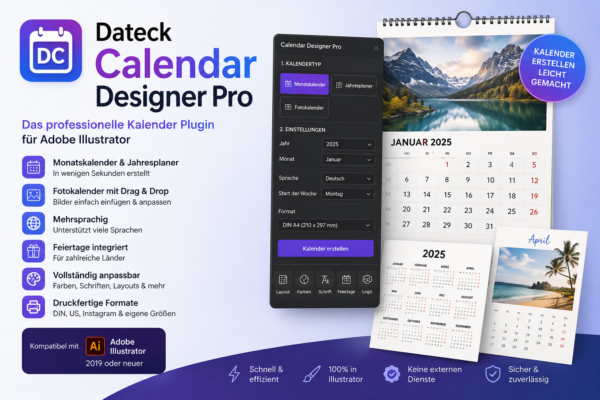
So sieht Calendar Designer Pro in der Praxis aus
Direkt in Adobe Illustrator arbeiten, Kalender generieren und Layouts flexibel anpassen.
See Calendar Designer Pro in action
Work directly inside Adobe Illustrator, generate calendars, and customize layouts with ease.
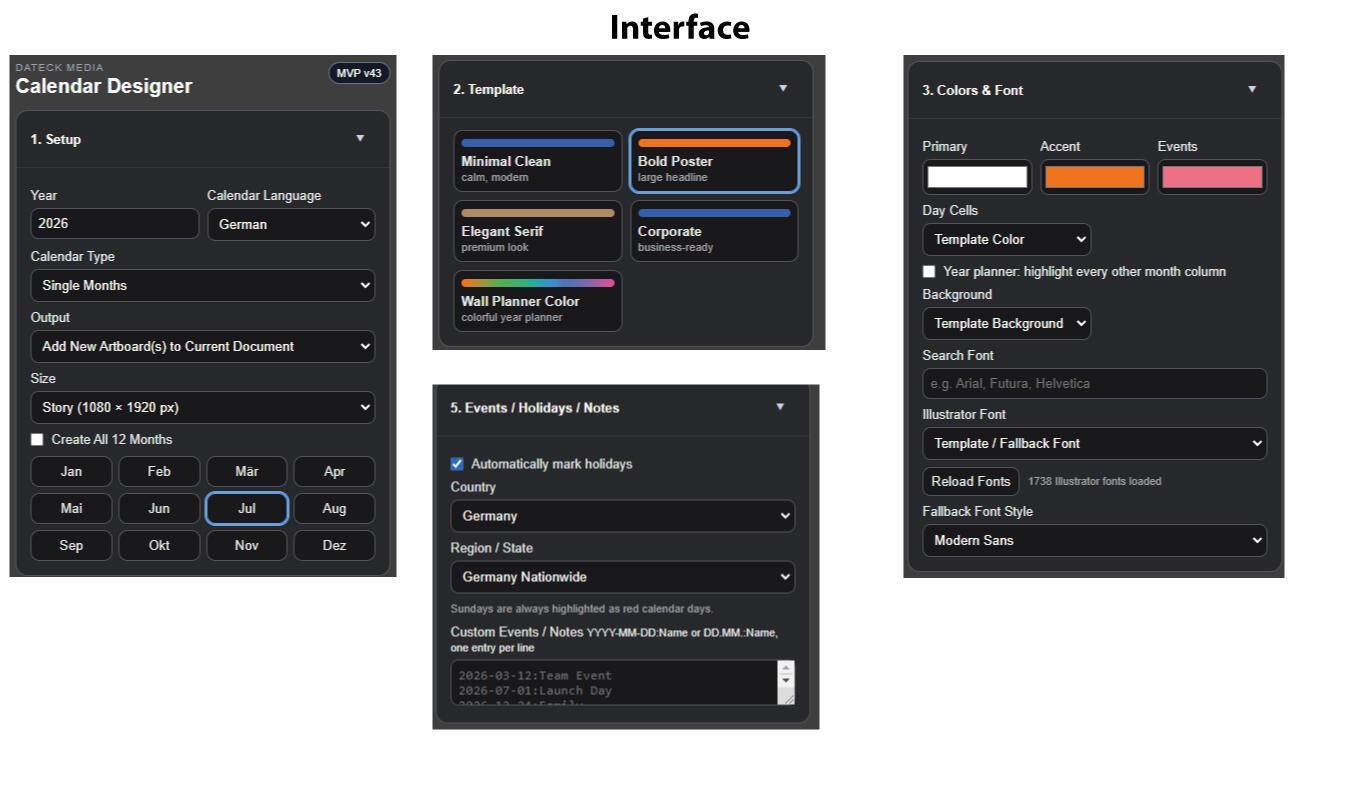
Das übersichtliche Interface direkt in Adobe Illustrator.
The clean and easy-to-use interface directly inside Adobe Illustrator.
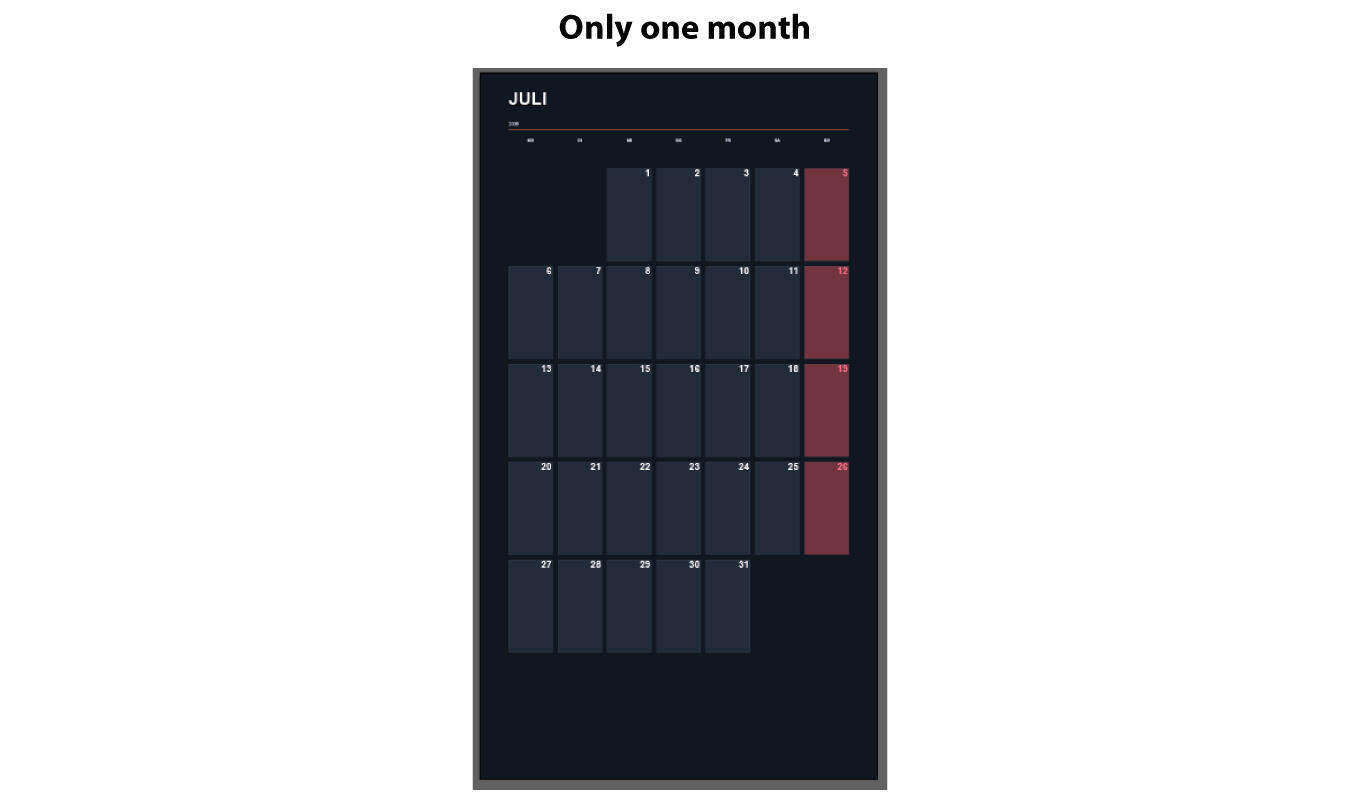
Professionelle Monatskalender in wenigen Sekunden erstellen.
Create professional monthly calendars within seconds.
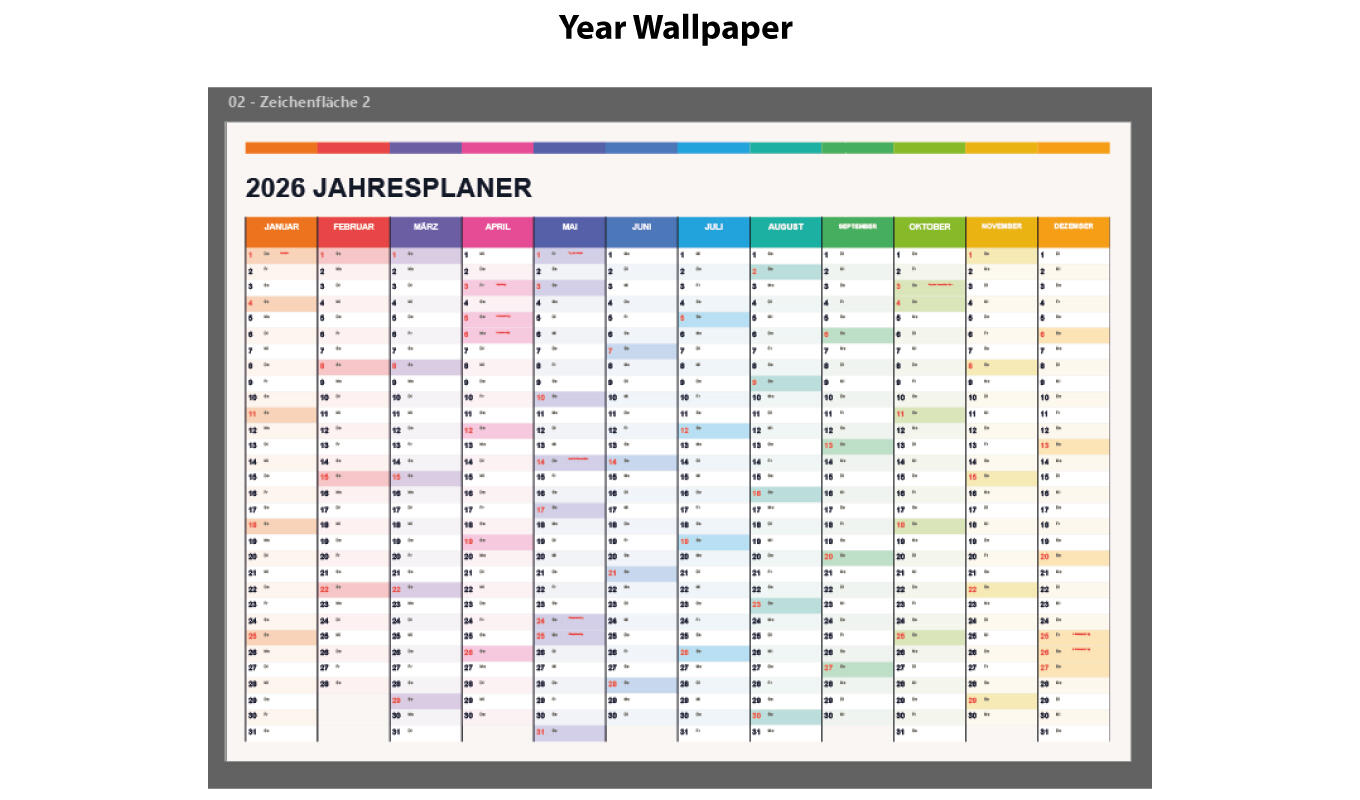
Komplette Jahresübersichten automatisch generieren.
Automatically generate complete yearly overviews.
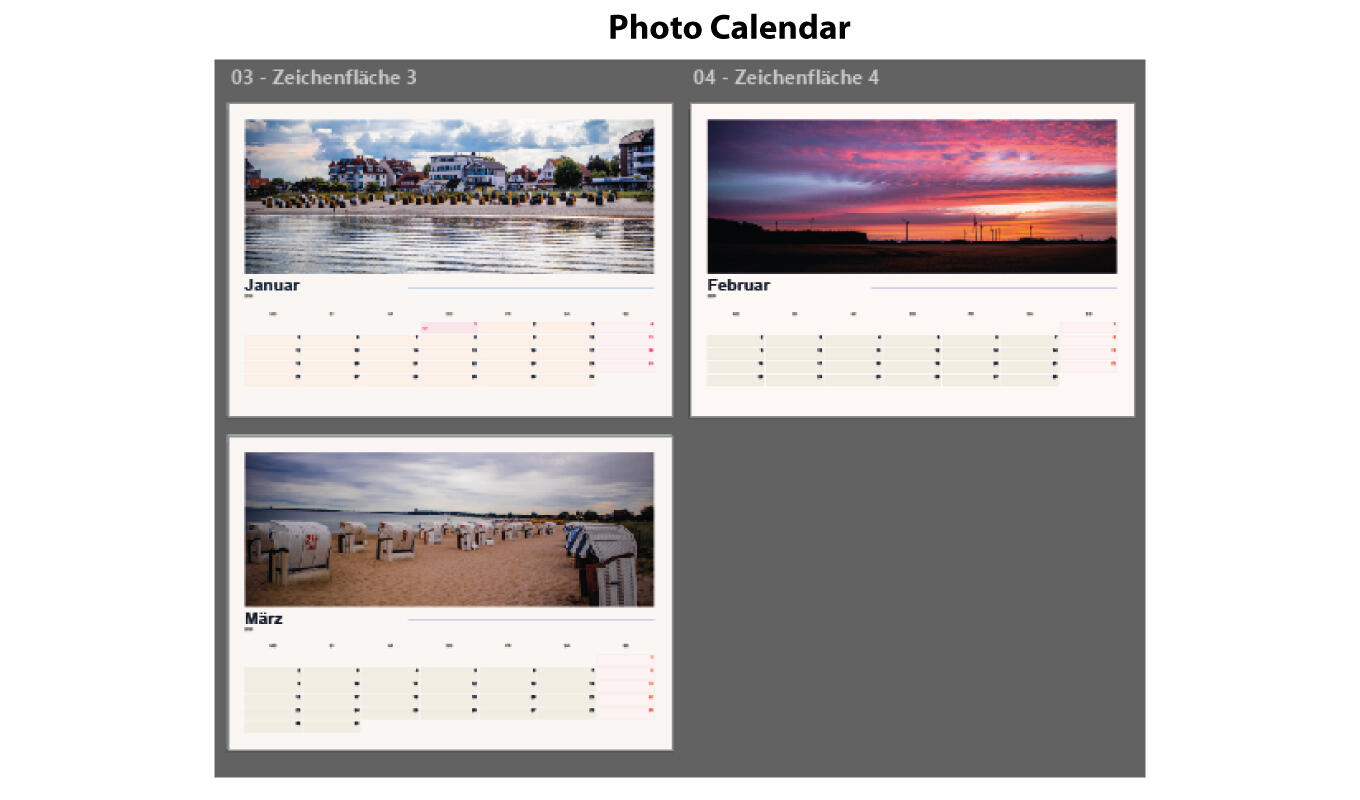
Moderne Fotokalender mit Drag & Drop Bildern erstellen.
Create modern photo calendars with drag & drop images.
Neu in Version 1.2.0
Das große Workflow-Update: mehrsprachig, moderner, internationaler und noch angenehmer in der täglichen Arbeit.
New in Version 1.2.0
The major workflow update: multilingual, more modern, more international, and smoother for daily design work.
Auto, Deutsch, Englisch, Französisch, Spanisch, Italienisch & Niederländisch
Das Panel erkennt die Illustrator-Sprache automatisch und synchronisiert Benutzeroberfläche, Kalendersprache und Feiertagsland.
Auto, German, English, French, Spanish, Italian & Dutch
The panel automatically detects the Illustrator language and synchronizes the interface, calendar language, and holiday country.
Montag oder Sonntag
Wähle flexibel, ob deine Kalenderwoche am Montag oder Sonntag beginnt – ideal für internationale Projekte.
Monday or Sunday
Choose whether your calendar week starts on Monday or Sunday — perfect for international projects.
Große Vorschau mit Monats-Badge
Das aktuell ausgewählte Monatsfoto wird groß angezeigt, inklusive Badge und besserer Monatsnavigation.
Large preview with month badge
The selected monthly photo is shown in a larger preview, including a badge and improved month navigation.
Automatisch lesbare Farben
Bei hellen Akzentfarben wird die Schrift automatisch dunkel, bei dunklen Farben automatisch hell.
Automatically readable colors
For light accent colors, text automatically becomes dark; for dark colors, it becomes light.
Mehrsprachige Statusmeldungen
Während der Erstellung zeigt das Plugin ein modernes Lade-Overlay mit Fortschrittsmeldungen.
Multilingual progress messages
During generation, the plugin displays a modern loading overlay with progress messages.
Floating Preview Button
Mit dem neuen Preview-Button springst du jederzeit direkt zurück zur Vorschau im Panel.
Floating preview button
With the new preview button, you can jump back to the panel preview at any time.
Arbeite direkt in Illustrator und erstelle Kalender ohne externe Tools oder manuelle Tabellenarbeit.
Work directly inside Illustrator and create calendars without external tools or manual table work.
Nutze DIN-, US- oder eigene Formate für Print, Social Media und Kundenprojekte.
Use DIN, US, or custom formats for print, social media, and client projects.
Kalenderart wählen, Einstellungen setzen und automatisch generieren lassen.
Choose the calendar type, set your options, and generate automatically.
Warum Kalender manuell bauen unnötig Zeit kostet
Wer Kalender in Illustrator von Hand erstellt, verliert schnell Stunden mit Tabellen, Datumslogik, Ausrichtung und Layout-Korrekturen.
Why building calendars manually wastes time
Creating calendars manually in Illustrator can quickly cost hours with tables, date logic, alignment, and layout corrections.
Manuelle Kalender sind fehleranfällig
- Datumsfehler schleichen sich schnell ein
- Feiertage müssen händisch geprüft werden
- Layouts müssen immer wieder neu aufgebaut werden
- Fotokalender kosten besonders viel Zeit
Manual calendars are error-prone
- Date mistakes happen quickly
- Holidays have to be checked manually
- Layouts need to be rebuilt again and again
- Photo calendars take especially long
Calendar Designer Pro automatisiert den Prozess
- Monatskalender automatisch erstellen
- Jahresplaner generieren
- Fotokalender mit Bildern aufbauen
- Farben, Schriften, Logos und Formate anpassen
Calendar Designer Pro automates the process
- Create monthly calendars automatically
- Generate yearly planners
- Build photo calendars with images
- Customize colors, fonts, logos, and formats
In 3 Schritten zum fertigen Kalender
Ideal für Agenturen, Druckereien, Designer, Social-Media-Projekte und kreative Kundenaufträge.
Your finished calendar in 3 steps
Perfect for agencies, print shops, designers, social media projects, and creative client work.
Kalendertyp wählen
Choose calendar type
Monatskalender, Jahresplaner oder Fotokalender auswählen.
Select monthly calendar, yearly planner, or photo calendar.
Design anpassen
Customize design
Format, Farben, Schrift, Sprache, Feiertage und Logo einstellen.
Set format, colors, fonts, language, holidays, and logo.
Kalender erstellen
Create calendar
Mit einem Klick wird dein Kalender direkt in Adobe Illustrator generiert.
With one click, your calendar is generated directly in Adobe Illustrator.
Alles drin, was du für professionelle Kalender brauchst
Vom einfachen Monatskalender bis zum individuellen Fotokalender für Print und digitale Projekte.
Everything you need for professional calendars
From simple monthly calendars to custom photo calendars for print and digital projects.
Monatskalender
Monthly calendars
Erstelle saubere Monatskalender direkt in Illustrator.
Create clean monthly calendars directly inside Illustrator.
Jahresplaner
Yearly planners
Generiere komplette Jahresübersichten für Planung, Print und Kundenprojekte.
Generate full-year overviews for planning, print, and client projects.
Fotokalender
Photo calendars
Nutze Bilder per Drag & Drop für moderne Foto-Layouts.
Use images with drag & drop for modern photo layouts.
Mehrsprachig
Multilingual
Mehrsprachiges Panel inklusive Auto-Erkennung und automatischer Synchronisierung von Kalender- und Feiertagssprache.
Multilingual panel with auto detection and automatic synchronization of calendar and holiday language.
Feiertage integriert
Holiday support
Feiertagsland wird automatisch passend zur gewählten Panel-Sprache gesetzt und kann jederzeit geändert werden.
Holiday country automatically matches the selected panel language and can be changed at any time.
Design frei anpassbar
Fully customizable
Farben, Schriften, Layouts und Logo individuell einstellen – inklusive intelligenter Kontrastfarben.
Customize colors, fonts, layouts, and logo — including smart contrast colors.
Druckfertige Formate
Print-ready formats
DIN, US, Instagram und eigene Formate für flexible Einsätze.
DIN, US, Instagram, and custom formats for flexible use.
Lokal in Illustrator
Local in Illustrator
Das Plugin läuft lokal in Adobe Illustrator – ohne externe Dienste.
The plugin runs locally inside Adobe Illustrator — no external services needed.
Dateck Calendar Designer Pro
Dateck Calendar Designer Pro
Adobe Illustrator Plugin für professionelle Kalenderdesigns
Adobe Illustrator plugin for professional calendar designs
- Monatskalender, Jahresplaner und Fotokalender
- Mehrsprachige Kalender und Feiertage
- Wochenstart Montag oder Sonntag
- Große Fotovorschau mit Monats-Badge
- Eigene Farben, Schriften, Layouts und Logos
- Druckfertige Formate für Print und Social Media
- Kompatibel mit Adobe Illustrator 23.0 oder höher
- Download inklusive ZXP-Datei, ZXP Installer und Anleitung
- Monthly calendars, yearly planners, and photo calendars
- Multilingual calendars and holiday support
- Week start Monday or Sunday
- Large photo preview with month badge
- Custom colors, fonts, layouts, and logos
- Print-ready formats for print and social media
- Compatible with Adobe Illustrator 23.0 or higher
- Download includes ZXP file, ZXP Installer, and guide
Fragen vor dem Kauf
Die wichtigsten Infos zu Installation, Kompatibilität und Nutzung.
Questions before buying
The most important information about installation, compatibility, and usage.